
Roleplay & Utilities
Britannia Menu for RedM
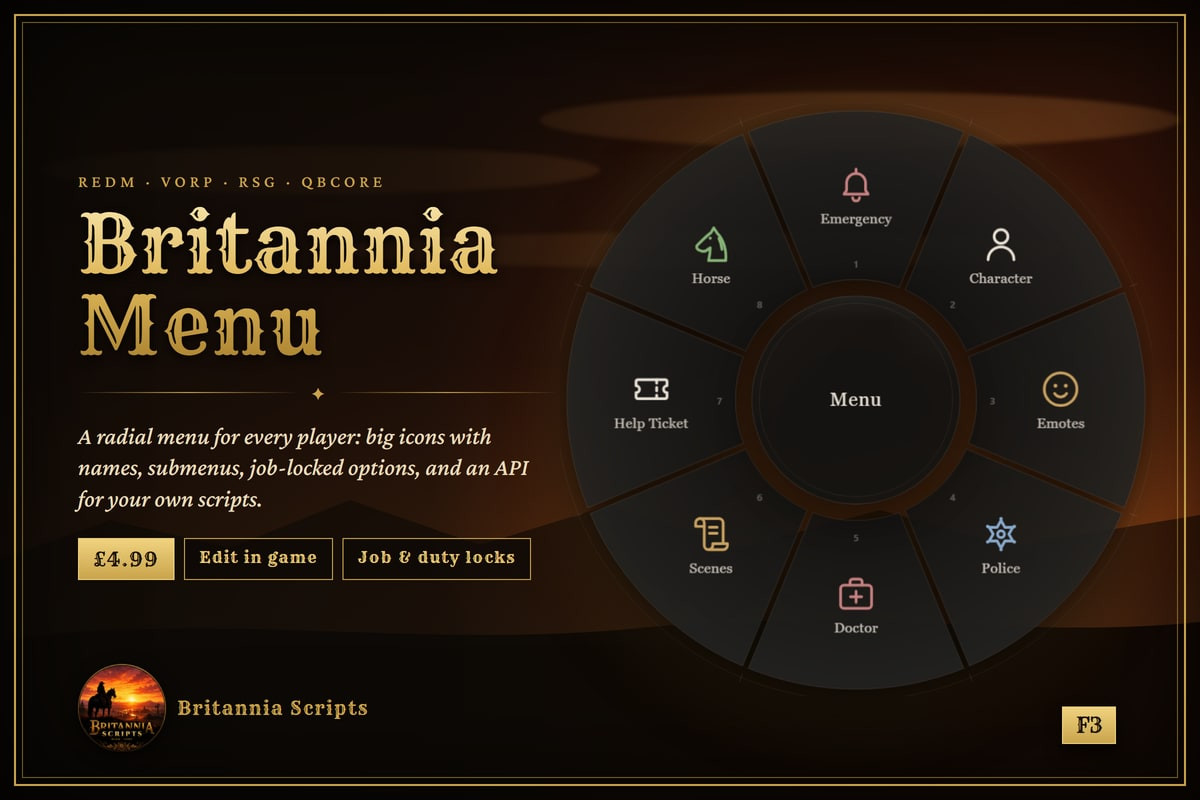
A radial menu for every player on F3: big icons with names, submenus, options locked to jobs, duty or staff, cooldowns, and an API so your other scripts can open their own wheel. Edit it in config or in game.
At a glance
- VORP, RSG & QBCore RedM
- F3 or /menu, rebindable
- Big icons with names
- Submenus and paging
- Job, grade, duty & staff locks
- Cooldowns and confirm steps
- Edit in config or in game
- API for your own scripts
- Encrypted; config and text editable
A radial menu for every player. Press F3 (or type /menu) and a wheel opens with the things your players do most, each with a large icon and its name. The middle of the wheel says what the option under the pointer does.
- Submenus, and a second page when there are more options than fit
- Options can be locked to jobs, grades, on-duty players, staff or an ACE permission
- Cooldowns and confirm-before-use for risky options
- Point anywhere towards an option, click, or use number keys, the scroll wheel and the arrow keys
- Edit the whole menu in config.lua, or in game under /poggy
- An API so your other scripts can open their own wheel with the same look, or add options to the main menu
- Players can rebind the key in the game's Key Bindings settings
Frameworks: VORP, RSG Core and QBCore RedM through the free poggy_core.
Delivery: licensed to your Cfx.re account and delivered through Cfx.re's asset system (encrypted; config.lua and translations.lua stay editable), plus the Customer role in our Discord.
Based on Poggy's poggy_menu, used with permission.
Support is on our Discord: discord.gg/aSFCvzRG3M